PMax AI video resizing: opt out by September 4
Google Ads is using generative AI to auto-create missing PMax video aspect ratios by default. Agencies have until September 4 to opt client accounts out.
Contents
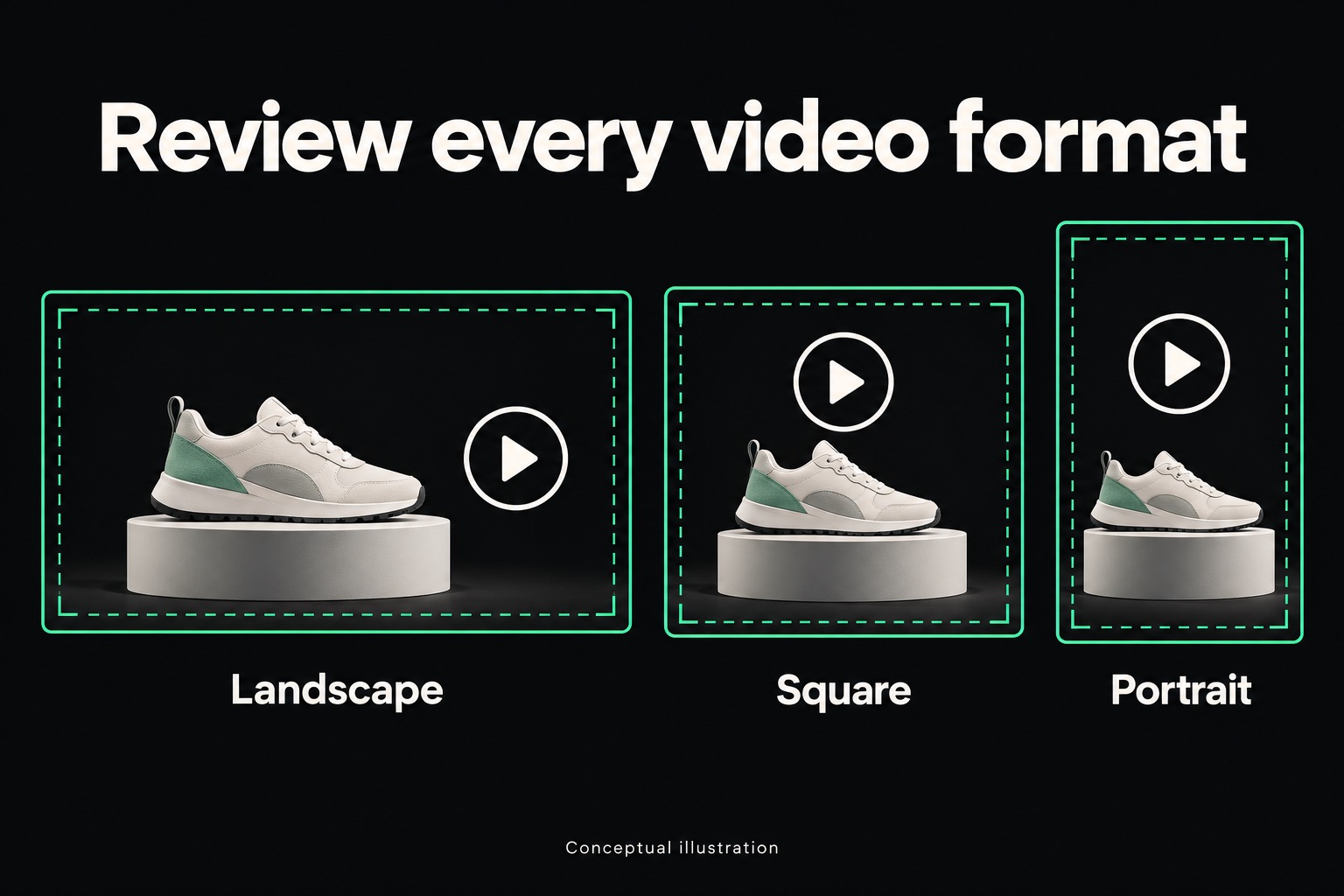
Google Ads is about to start editing client video, and nobody has to click approve. The new feature uses generative AI to fill in the aspect ratios a Performance Max video asset is missing, stretching a horizontal ad into square and vertical versions so it can run across more inventory. It ships on by default. The opt-out window closes September 4, 2026. Here is what the feature actually does, why the creative-control question matters more than the technical one, and what to check before the deadline.
What the feature actually does
The update builds on a video capability Google Ads already had, which converts a horizontal video into vertical and square formats automatically. What changes now is the method. Where the existing tool worked from the footage an advertiser already supplied in each shape, the new version uses generative AI to invent the parts of the frame that were never shot, extending a horizontal video outward or inward to fill a ratio it was not made for.
Google frames the goal as reach and viewing experience, meaning more inventory served and fewer black bars or awkward crops on formats the advertiser never produced. That is a real problem for any shop still shipping video in one aspect ratio and letting the platform stretch it. The fix Google chose is also the part worth pausing on, because it hands a generative model the job of deciding what belongs in a frame nobody filmed.
Scroll sideways to see all columns.
| Date | What happens |
|---|---|
| Now | Generative AI video resizing is rolling out across PMax accounts with video assets, on by default |
| September 4, 2026 | Opt-out form and account-team requests must be submitted by this date to stop new AI-generated resizes |
| Ongoing | Video settings can be changed inside the account at any time, opt-out deadline or not |
What this means for an agency
The opt-out mechanics are simple. The judgment call underneath them is not. An agency running client accounts now has to decide, campaign by campaign, whether a generative model editing brand video without a review step is an acceptable trade for more inventory reach. That is not a setting to leave on autopilot the way a bid strategy default sometimes can be, because the output is the client's face, product, or storefront, reshaped by software nobody on the account signed off on.
Start with an inventory pass. Pull every active PMax campaign that carries video assets and check whether it is realistic to review AI-generated variants before they run at all, or whether the honest answer is opting out until there is a process for it. A client whose brand guidelines are strict about framing, packaging shots, or on-screen text is a different call than a client running loose lifestyle footage where an extended crop barely registers.
Write the decision down per client, not per account manager's gut feeling in the moment. This sits next to the AI Max migration Google is force-running on Search campaigns starting September 1, another case of the platform choosing the default and putting the burden of opting out on the advertiser, on its own clock.
What clients will notice day to day
A client who never logs into Google Ads will not notice anything change; the video just keeps running. A client who does log in, or who pulls their own ad previews, may see a version of their video in a shape they never approved, stretched or extended by a model filling in gaps.
None of this is a bug. It is the feature working as designed, and Google's opt-out form exists exactly because some advertisers will want it off. But a client who discovers an AI-modified cut of their ad on their own, without warning, reads it as the agency losing control of the account. A short note before the deadline, saying what the setting does and what call was made for their campaigns, converts that discovery from alarming to expected.
The checklist before September 4
- Pull every active PMax campaign with video assets across client accounts.
- Decide per client whether AI-generated aspect-ratio variants are acceptable given their brand guidelines, or whether the account should opt out.
- Submit Google's opt-out form or contact the account team for any client landing on "opt out."
- Note the decision and the date in each account's records, so the reasoning survives past whoever made the call.
- Send a short note to clients whose accounts are staying opted in, explaining what they might see in their video assets going forward.
Frequently asked questions
Does opting out remove AI-resized videos that are already running?
The opt-out form and account-team request stop new AI-generated resizes going forward. Google Ads also lets video settings be changed inside the account at any time, so this is not a one-time, irreversible choice tied only to the September 4 date.
Does this affect every video format, or only ones with missing aspect ratios?
Only formats a campaign is missing. If an advertiser has already supplied horizontal, square, and vertical versions of a video asset, there is no gap for the generative model to fill. The feature exists specifically for accounts running video in fewer aspect ratios than the inventory calls for.
Is this the same as Google's earlier automatic video format conversion?
It builds on that earlier tool but is not the same. The earlier conversion worked from footage the advertiser had already shot in another ratio. This version uses generative AI to create image content that was never filmed, which is why it is worth a brand-guidelines review rather than a routine settings check.
Google keeps moving PMax from automated buying into automated creative production, one default at a time. The agencies that hold their footing are the ones with a standing habit of checking what changed before a client finds out on their own. Review the campaigns, make the call per client, and get in touch if the September 4 deadline needs a second set of eyes on it before it closes.
Sources · 1
- Google Ads will use generative AI to resize Performance Max video ads — Search Engine Land, Aug 17, 2026. The feature, the default-on behavior, and the September 4 opt-out.
Adrian Vale
Product value optimization: Google Ads beta checks
Google Ads product value optimization lets retailers signal product priorities. Check the beta's scope, agree on client goals, and plan a measured agency test.
Google AI Max migration: the September 1 agency checklist
Google starts force-migrating campaign-level Broad Match and auto-created assets to AI Max on September 1. What agencies and their clients should expect.
Meta Marketing API v26 migration: the agency checks
Plan Meta Marketing API v26 migration with verified deadlines, placement and creative checks, and a client handoff that catches silent configuration changes.